From an engineer’s request to a purchase order.
Arp drafts the specification, reviews the documents, finds suppliers, evaluates bids and prepares the order, with a source behind every step. The decision stays with you.
Every procurement in one place. Arp moves each one to a decision.
Each procurement keeps its lots, bids, files and chats together. Arp moves it step by step and comes to you when a decision is needed.
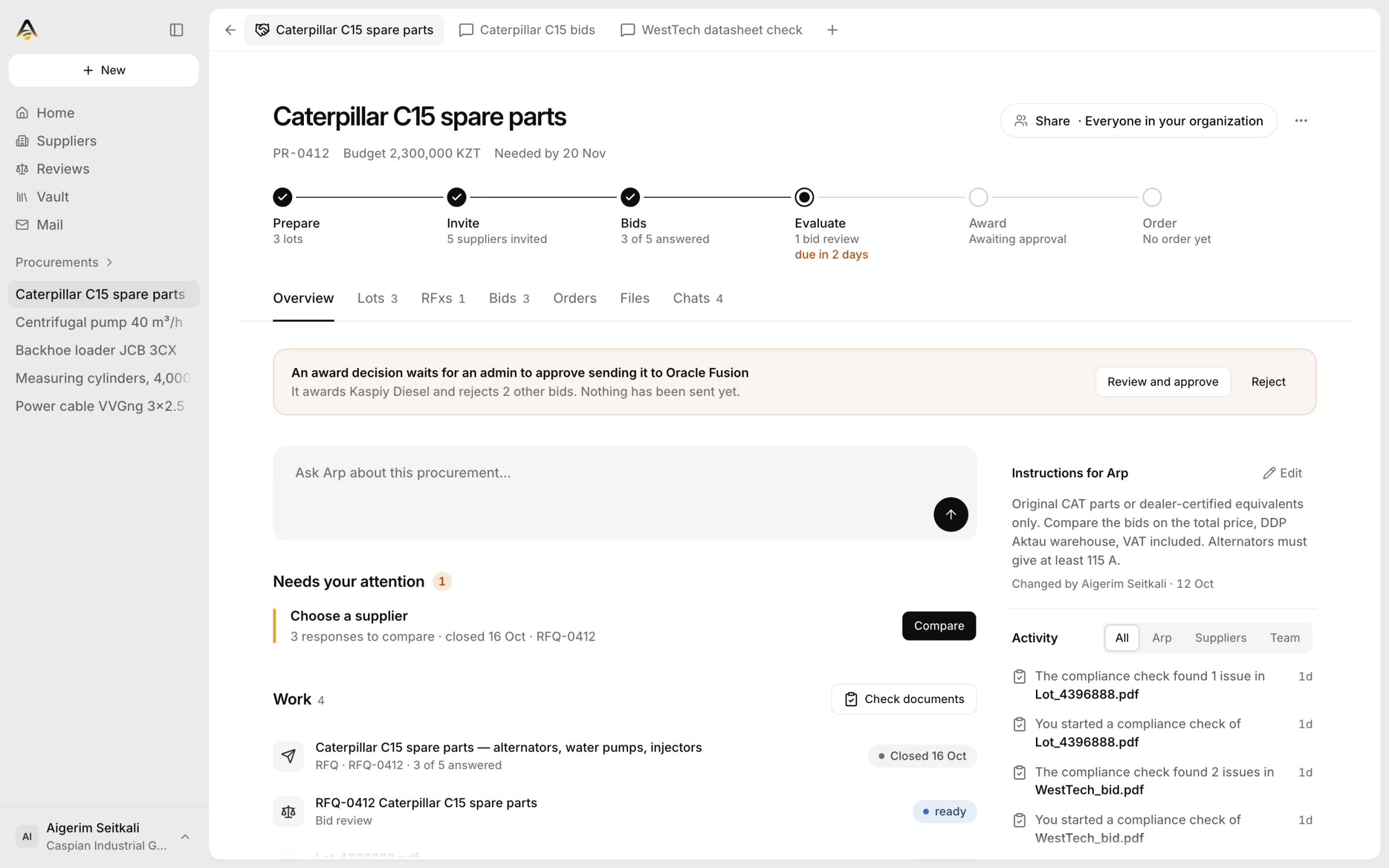
One procurement, from spec to order. Every step can be checked.
A specification Arp writes with your engineer.
Arp works in a real DOCX: it asks clarifying questions, inserts verified parameters and rewrites clauses when you ask. What comes out is ready for publication.
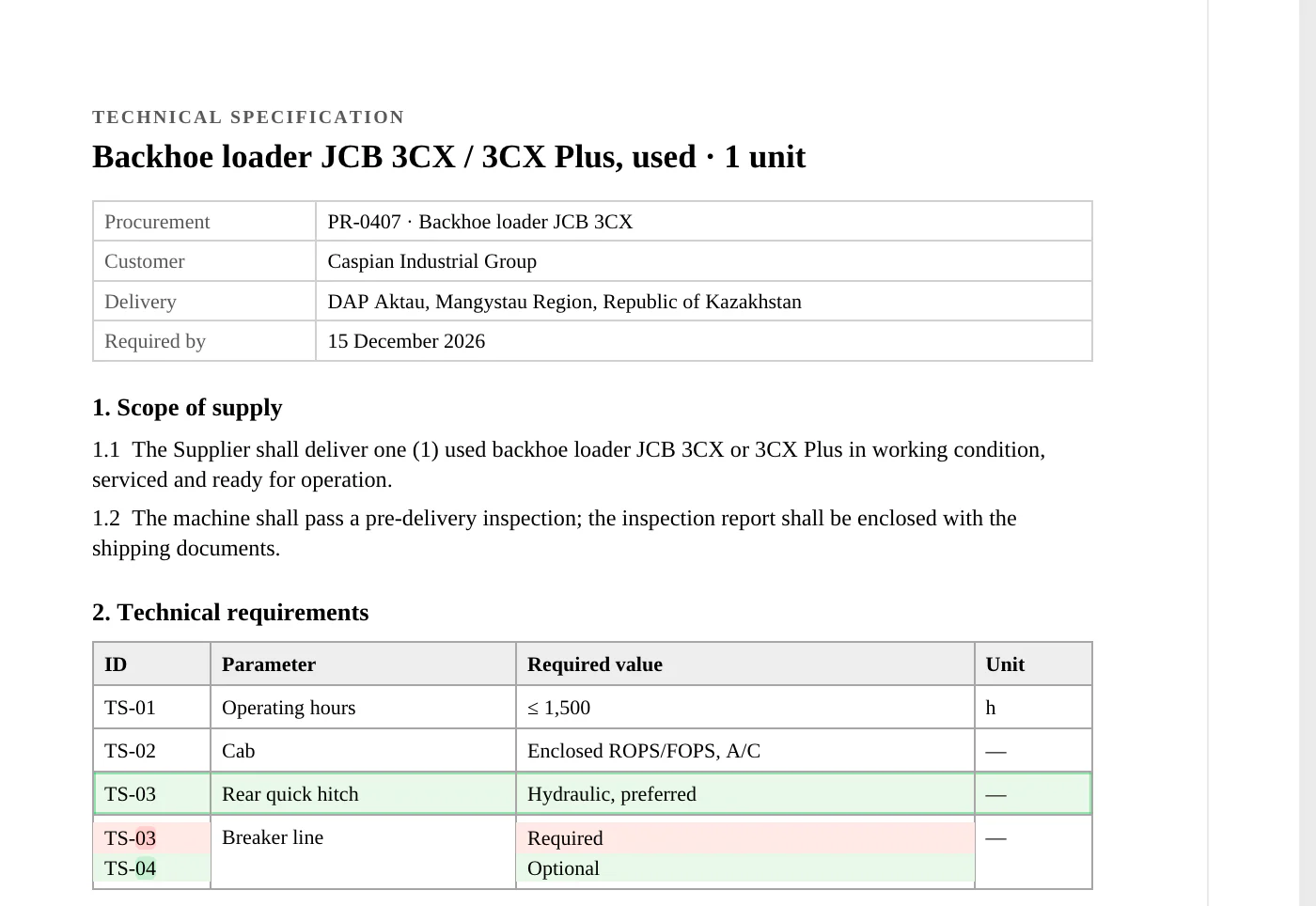
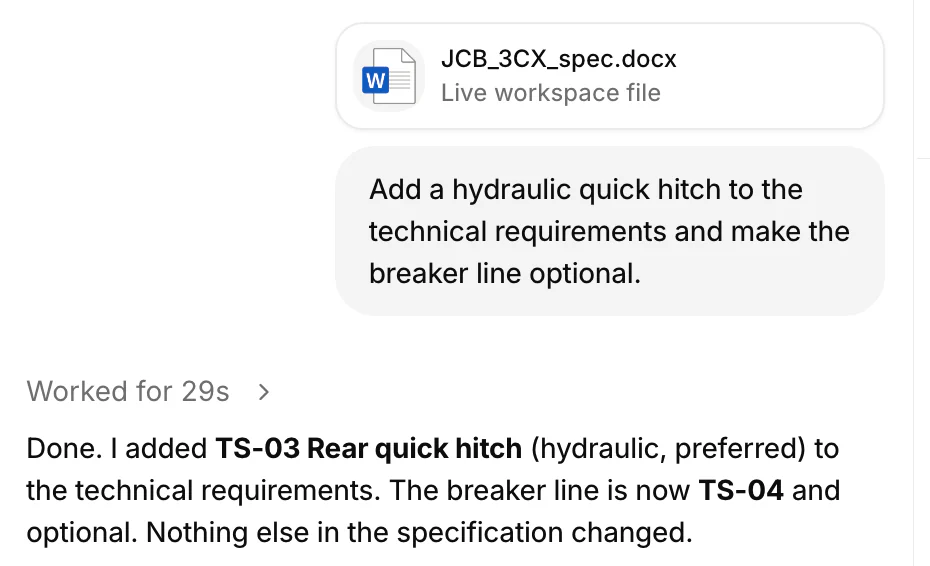
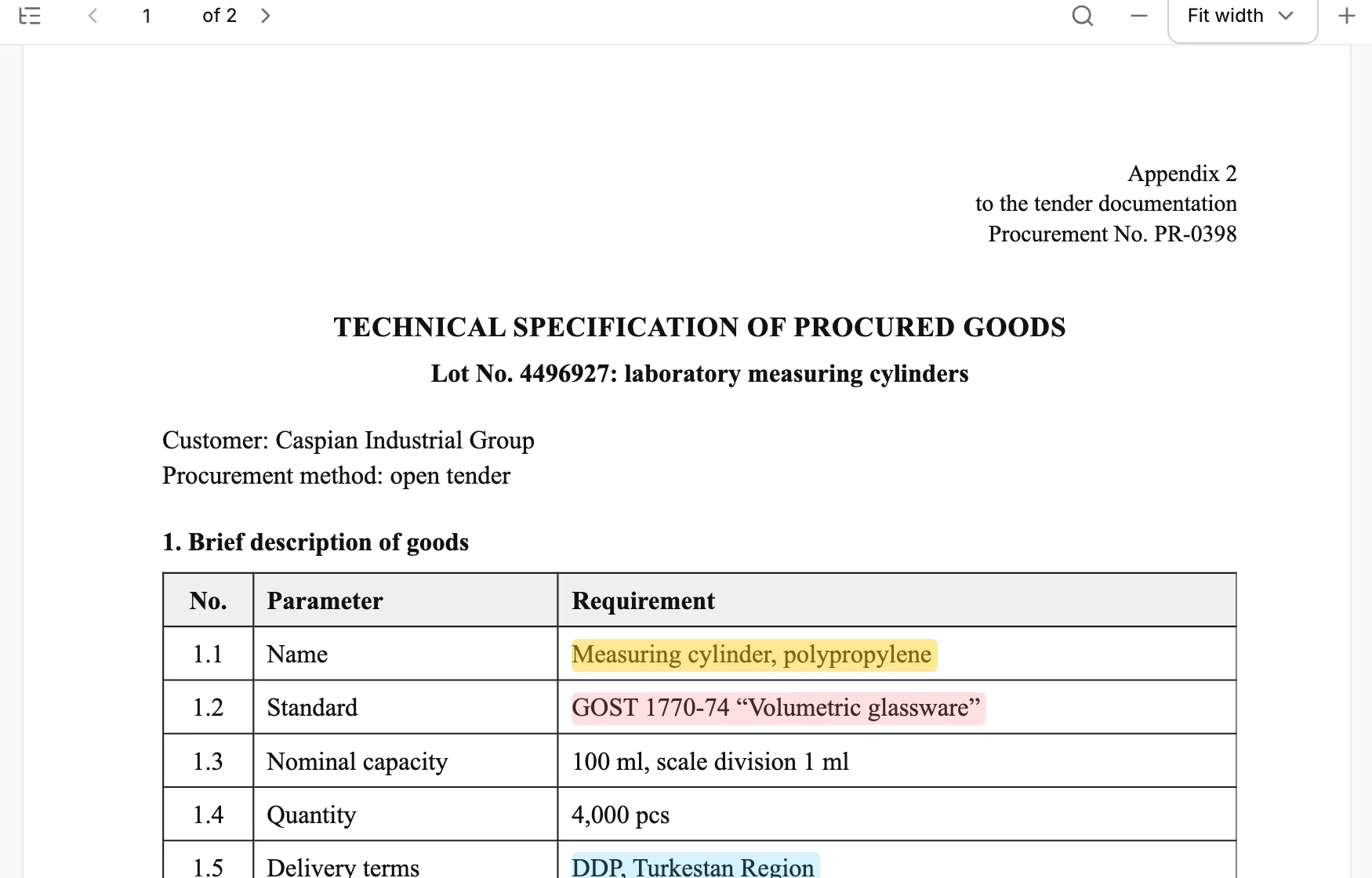
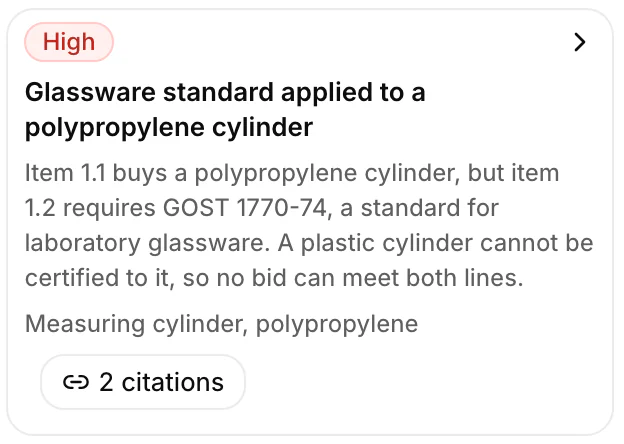
Every finding comes with its quotation.
Upload the whole package — DOCX, XLSX, PDF. In 15 minutes Arp checks the files against one another, ranks findings by risk and highlights the lines each one follows from.
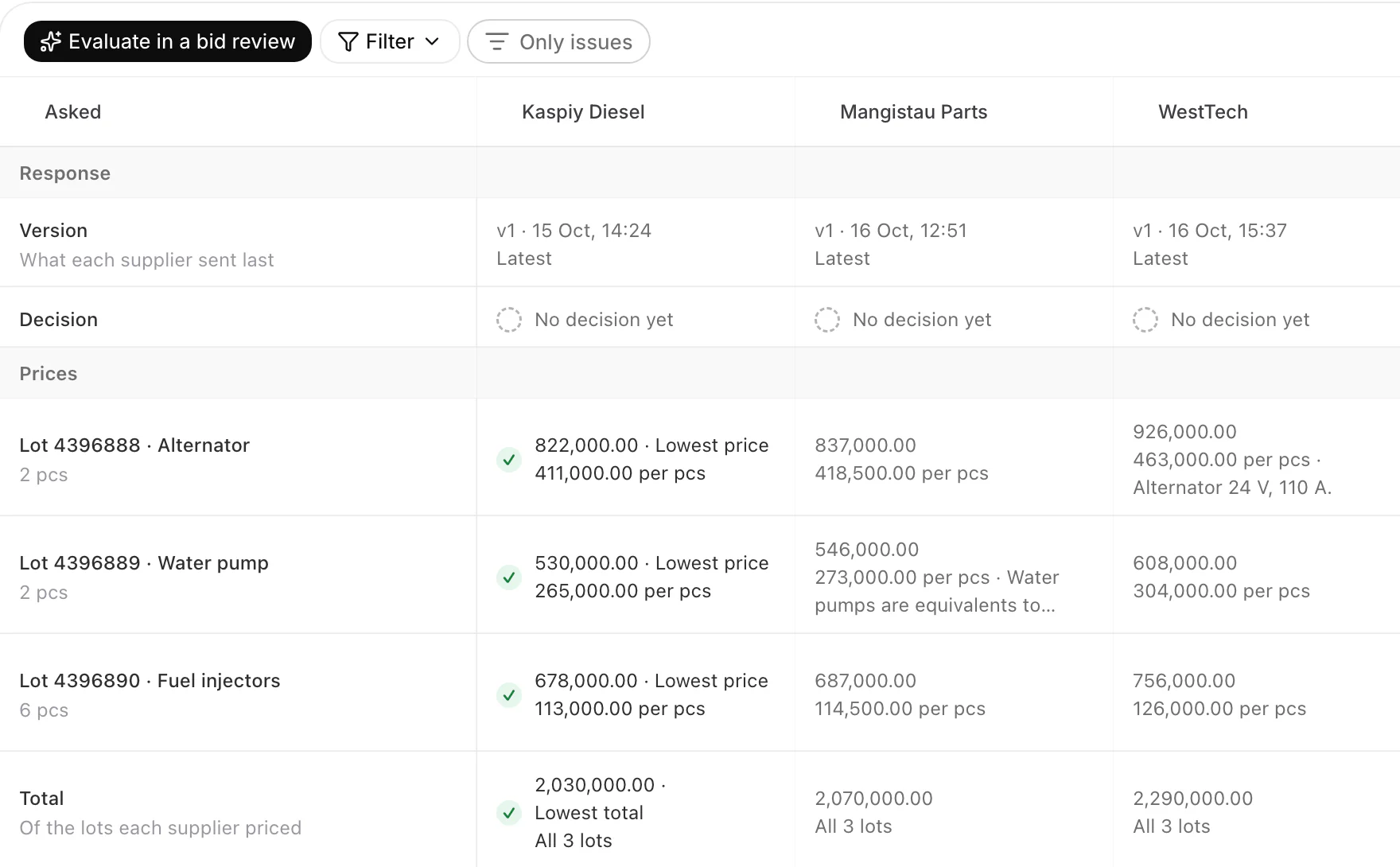
Suppliers found, asked and compared.
Arp searches your supplier base and past purchases, then the web and tender portals. Once you approve, it sends the request for quotation to those who fit and lines up their answers side by side.
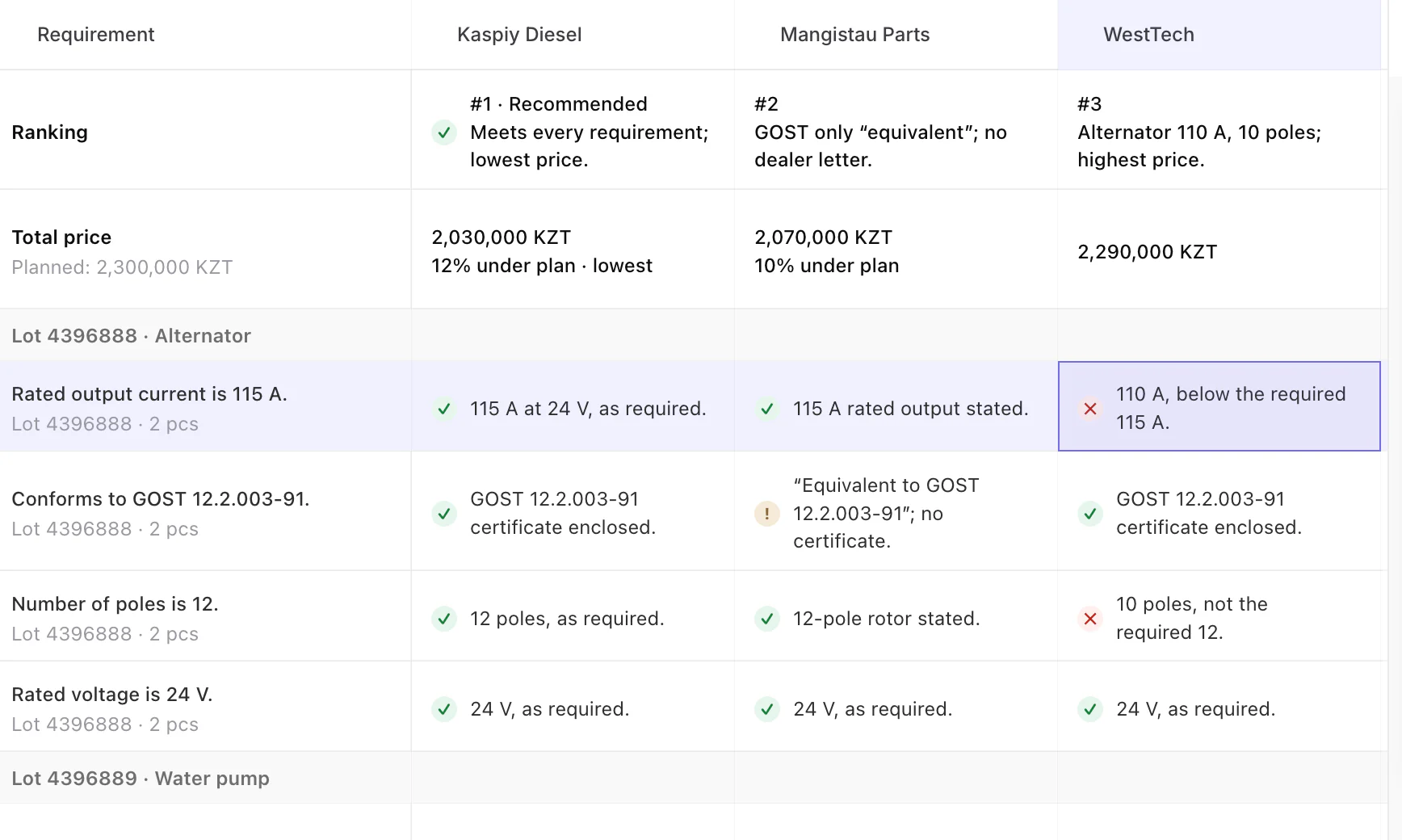
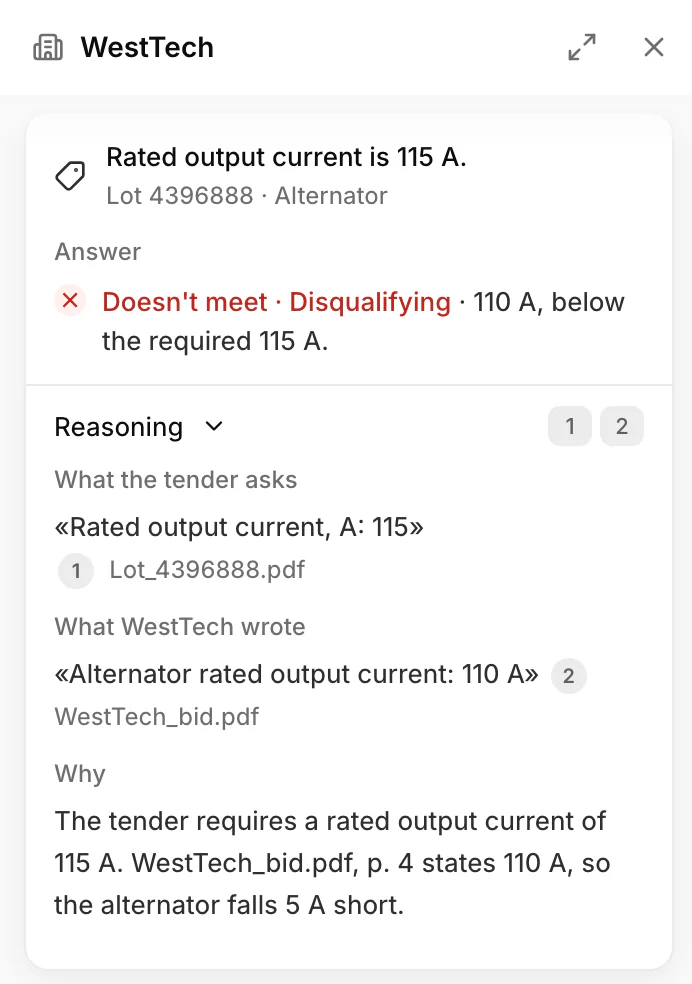
Every bid checked against every requirement.
Arp marks each bid compliant, partial or non-compliant with evidence from the bid, and ranks the offers on fit and price. The decision stays with you.
The award and the order, in your ERP.
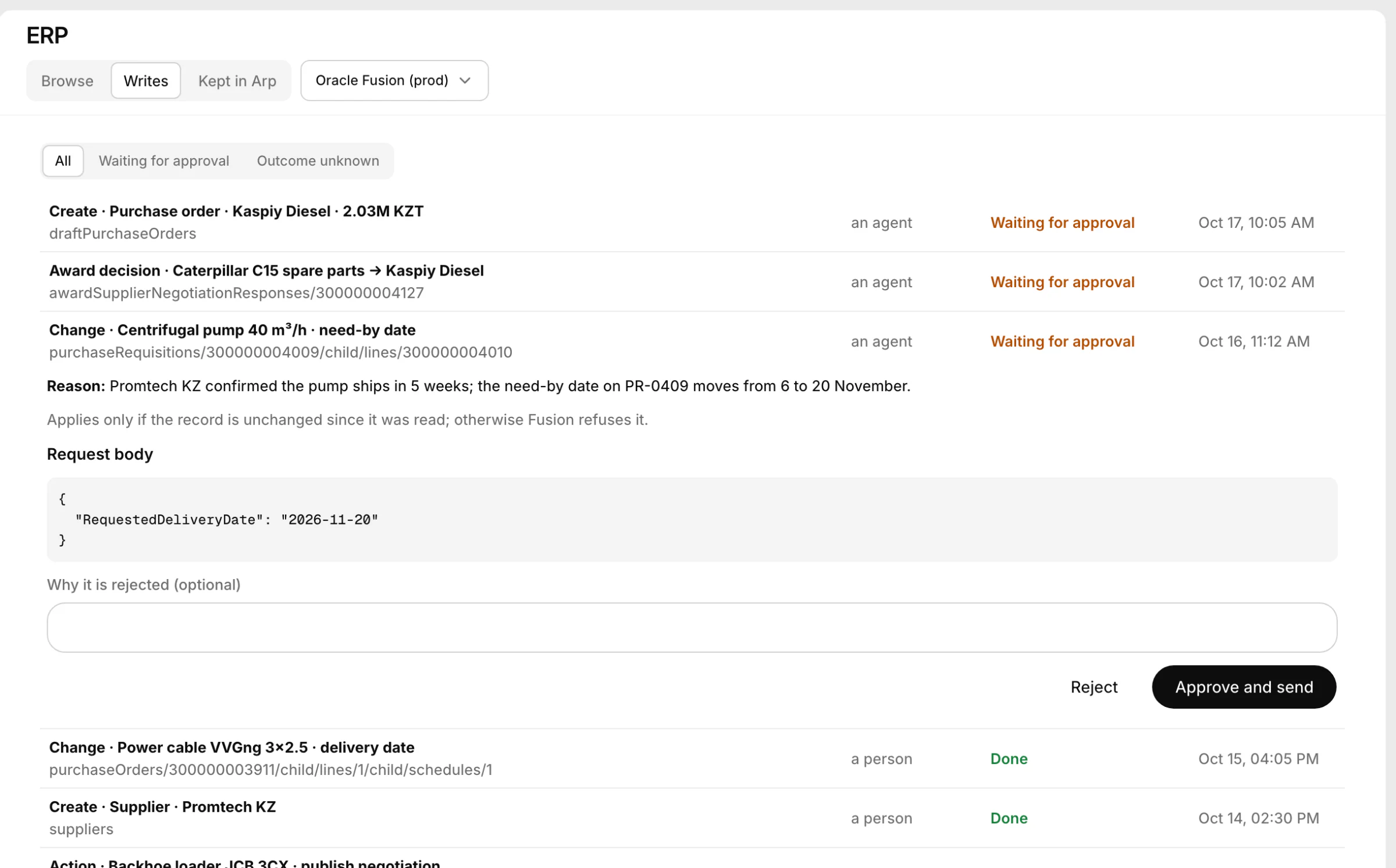
Arp prepares the award decision and the purchase order and proposes them as writes to your ERP. A write goes out once an admin approves it, and only if the record in the ERP is unchanged since Arp read it.
Documents are half the job. Arp has its own computer.
A computer in the cloud with a browser and desktop apps. Arp looks things up on the web, reads them and works in desktop programs such as an ERP client, the way a buyer would, and you can watch it live.
-
Any website
If a page opens in a browser, Arp can work with it: tender portals, catalogues, standards, supplier portals.
-
Desktop apps too
Arp uses programs on its desktop with the mouse and keyboard, such as an ERP client.
-
Watch, or take the wheel
The screen streams live beside the chat, and you can take control at any moment.
One request, on its computer
- Browser Searches for GOST 8732‑78 and opens its full text
- Browser Finds the mass formula: 10.26 kg/m, so 2.4 t is 233.95 m
- Desktop Opens the Tryton ERP app on its desktop and signs in
- Desktop Creates a purchase for Uralsteel Pipe LLC with one line, 233.95 m
- Answer Saves it as a draft, not confirmed, and reports back
It works in your systems. You still make the calls.
Arp connects to your mail, portals and ERP, and acts in them only within what you have approved.
Approval before anything goes out
Arp only prepares emails to suppliers and writes to the ERP. They are sent after you approve them.
Logins live in the vault
Arp signs in to portals with saved logins. The assistant never sees the passwords.
Your ERP, in sync
Arp reads the ERP from a copy it keeps fresh in the background and proposes writes: a purchase order, an award decision. Oracle Fusion works today; SAP, 1C or another ERP is connected during the pilot.
Start with a pilot. On your own tenders.
Try Arp for 1–4 weeks with one team, on your own tenders.
- 01 Day 1 Agree the scope and start
- 02 1–4 weeks One of your teams works in Arp on real tasks
- 03 At the end You get a report and decide
Let us discuss it personally
20 minutes and we will demonstrate the product, diagnose bottlenecks in your procurement processes and understand whether you need our solution. The conversation commits you to nothing.
Choose a time
The cost of the pilot is discussed individually and depends on the company’s workload.
Frequently asked questions
Does Arp choose the supplier?
No. Arp evaluates the bids and proposes a decision with citations to the bids and the specification. Your team decides, and the decision reaches the ERP only after approval.
Can Arp send anything without us?
No. Emails to suppliers and writes to the ERP go out only after approval.
Which ERPs does Arp work with?
Oracle Fusion today. If you run another system, we connect it as part of the pilot.
How does Arp sign in to tender and supplier portals?
With logins your team saves in Arp’s vault. The assistant never sees the passwords.
Which languages does Arp work in?
Arp’s interface is in English, Russian and Kazakh.
How long is a pilot?
One to four weeks, with one team, on your own procurements. The cost is discussed individually.